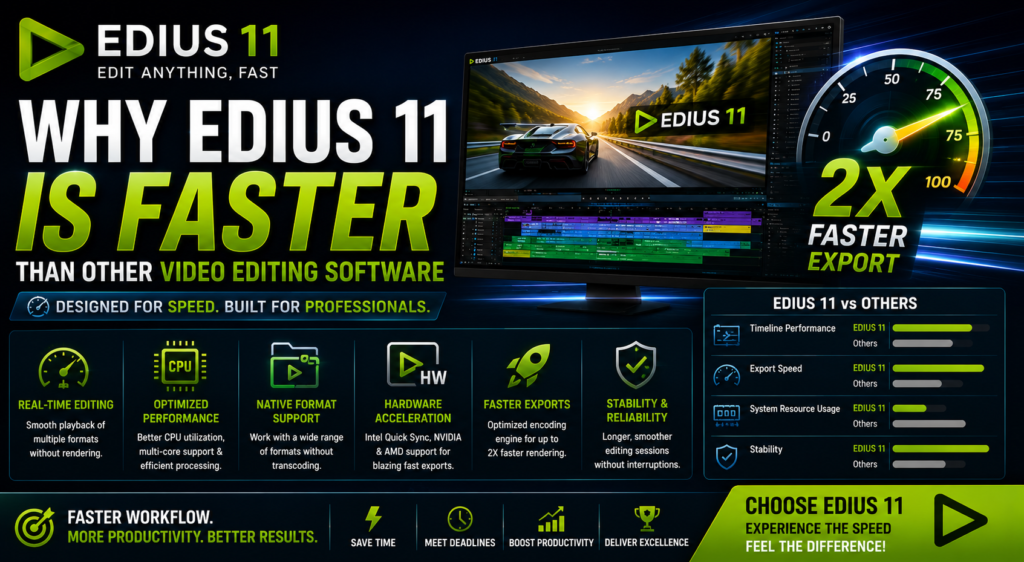

Video editors constantly search for software that can handle high-resolution footage smoothly, render quickly, and maintain stability during demanding projects. EDIUS 11 has built a strong reputation for exceptional speed, responsiveness, and reliability, and many editors want to know exactly what makes EDIUS 11 faster than the competition. While many editors compare it with Adobe Premiere Pro, DaVinci Resolve, and Final Cut Pro, one question frequently comes up: why is EDIUS 11 faster?
The answer lies in its optimized architecture, efficient hardware utilization, native media support, and workflow-focused design. In this guide, you’ll discover why EDIUS 11 consistently delivers one of the fastest editing experiences available. <!– [Image suggestion: EDIUS 11 timeline screenshot] alt=”EDIUS 11 faster real-time timeline editing” –>
What Makes EDIUS 11 Faster Than Other Editors?
Built for Real-Time Editing
One of the biggest reasons EDIUS 11 feels faster is its real-time editing engine. Unlike many video editing applications that rely heavily on rendering before smooth playback becomes possible, EDIUS processes many video formats directly on the timeline. As a result, editors can begin working almost immediately.
Because of this architecture, users benefit from:
- Smooth timeline playback
- Reduced waiting time
- Faster project navigation
- Improved editing efficiency
Consequently, editors spend more time creating and less time waiting for preview files.
Excellent Native Format Support
Another major advantage is EDIUS 11’s native support for professional video formats.
Supported formats include:
- H.264
- H.265
- XAVC
- AVCHD
- MXF
- MOV
- MP4
Unlike some competing editors, EDIUS can edit these formats without requiring lengthy transcoding. Therefore, projects can begin immediately after importing media.
Optimized CPU Performance
While many editing applications rely heavily on GPU acceleration, EDIUS has always emphasized efficient CPU optimization.
This provides several important benefits:
- Better system resource utilization
- Faster timeline responsiveness
- Stable editing performance
- Efficient media decoding
As a result, even mid-range computers often perform exceptionally well when running EDIUS 11.
Intelligent Multi-Core Processing
Modern processors contain multiple CPU cores designed for parallel processing. Fortunately, EDIUS 11 takes full advantage of this hardware.
It efficiently utilizes:
- Multi-core processors
- Multi-threaded workflows
- Parallel processing
Consequently, editors enjoy smoother playback, faster exports, reduced lag, and better overall responsiveness.
Fast Startup and Project Loading
Speed isn’t limited to editing alone. In addition, EDIUS launches noticeably faster than many competing applications.
Editors benefit from:
- Quick software startup
- Faster project loading
- Reduced waiting between projects
- Improved daily productivity
Although each startup only saves a few seconds, those small improvements quickly add up during a busy workday.
Efficient Memory Management
RAM management plays an essential role in editing performance. Fortunately, EDIUS 11 is known for using system memory efficiently.
Its advantages include:
- Lower memory overhead
- Efficient cache utilization
- Stable long editing sessions
- Reduced slowdowns
Therefore, editors can work on larger projects without experiencing significant performance drops.
Superior Timeline Performance
Perhaps the most noticeable advantage is timeline responsiveness.
Even when projects include:
- Multiple video tracks
- Color corrections
- Transitions
- Effects
EDIUS remains smooth and responsive.
Because playback rarely stutters, editors can focus entirely on creativity rather than technical limitations.
Minimal Background Rendering
Many editing applications depend heavily on continuous background rendering.
However, EDIUS minimizes this requirement through:
- Real-time effects processing
- Native format support
- Efficient decoding
- Optimized playback
As a result, editors experience a much more fluid workflow.
Optimized for News and Broadcast Workflows
EDIUS has been trusted by broadcasters for many years.
News organizations require:
- Immediate editing
- Fast turnaround
- Reliable exports
- Minimal downtime
Therefore, EDIUS was engineered with speed and reliability as core priorities.
Hardware Acceleration Support
EDIUS 11 also supports modern hardware acceleration technologies.
These include:
- Intel Quick Sync
- NVIDIA GPU Acceleration
- AMD GPU Acceleration
Consequently, encoding, decoding, rendering, and exporting become significantly faster when supported hardware is available. <!– [Image suggestion: hardware acceleration settings panel] alt=”EDIUS 11 faster hardware acceleration settings” –>
Faster Export Speeds
Rendering speed is another area where EDIUS consistently performs well.
Its fast exports are possible because of:
- Efficient encoding
- Hardware acceleration
- Optimized media processing
- Reduced system overhead
As a result, editors working under tight deadlines can deliver projects much faster.
Stable Performance During Long Editing Sessions
Speed means very little without reliability.
Fortunately, EDIUS is widely recognized for:
- Long editing stability
- Low crash rates
- Reliable performance
- Efficient resource management
Therefore, professionals can confidently edit large projects without worrying about frequent interruptions.
Excellent Performance on Mid-Range Computers
Not every editor owns a high-end workstation.
Fortunately, EDIUS performs extremely well on:
- Mid-range processors
- Moderate RAM configurations
- Older editing systems
- Budget workstations
Because of its efficient optimization, professional editing becomes accessible to a much wider audience.
Efficient Proxy Workflow
When working with 4K or 8K footage, proxy editing becomes increasingly important.
EDIUS provides:
- Smooth proxy playback
- Faster editing
- Reduced hardware load
- Improved workflow efficiency
Consequently, even demanding projects remain responsive.
Designed for Maximum Productivity
Every part of EDIUS is designed to improve editing speed.
For example, it includes:
- Fast trimming tools
- Responsive interface
- Quick media management
- Efficient timeline controls
- Rapid project organization
Although each improvement seems small individually, together they create a noticeably faster editing experience. <!– Internal link suggestion: link “trimming tools” or “timeline controls” to your EDIUS features/tutorial page –>
EDIUS 11 vs Other Video Editing Software
EDIUS 11
Strengths
- Excellent real-time playback
- Fast startup
- Efficient CPU utilization
- Outstanding stability
- Fast exports
Adobe Premiere Pro
Strengths
- Large plugin ecosystem
- Adobe Creative Cloud integration
However, Premiere Pro generally requires more powerful hardware and often depends on proxy workflows for smoother editing.
DaVinci Resolve
Strengths
- Industry-leading color grading
- Advanced visual effects
On the other hand, Resolve benefits greatly from high-end GPUs and larger system resources.
Final Cut Pro
Strengths
- Exceptional macOS optimization
However, it is only available on Apple hardware. <!– Outbound link suggestion: cite an authoritative external benchmark/review source comparing NLE performance (add your chosen URL) –>
Who Benefits Most from an EDIUS 11 Faster Workflow?
YouTube Creators
- Faster editing
- Quick exports
- Efficient workflows
Wedding Video Editors
- Smooth handling of long recordings
- Faster project delivery
- Reliable editing sessions
News Broadcasters
- Immediate turnaround
- Real-time editing
- Reliable exports
Corporate Video Producers
- Reduced production time
- Stable workflows
- Better productivity
Professional Editors
- Faster timelines
- Long-term stability
- Efficient hardware utilization
<!– Internal link suggestion: link “Professional Editors” or “YouTube Creators” to your EDIUS use-case landing pages –>
Final Thoughts: Why EDIUS 11 Faster Performance Stands Out
EDIUS 11 is faster than many competing video editing applications because it was built around speed, efficiency, and real-time performance from the ground up. Moreover, its optimized editing engine, excellent CPU utilization, native format support, intelligent hardware acceleration, and stable workflow provide a noticeably smoother editing experience.
Ultimately, if your priorities are fast editing, responsive timelines, reliable performance, and quick project delivery, EDIUS 11 remains one of the best professional video editing solutions available for Windows users.