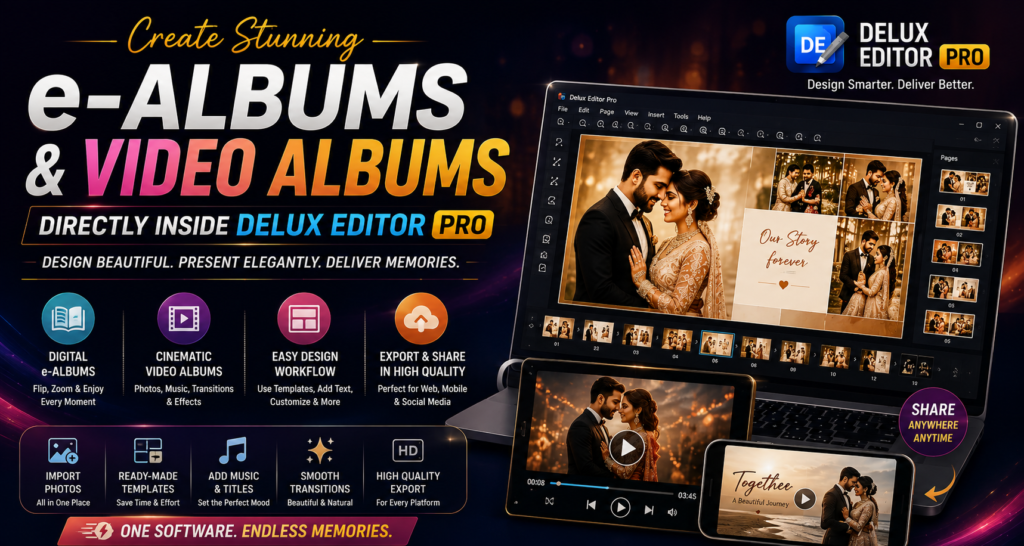

Wedding photography is no longer limited to printed albums. Today, photographers and studios also need attractive digital albums that clients can view and share online. e-Albums and Video Albums provide an engaging way to present wedding memories beyond traditional printed pages.
With Delux Editor Pro, designers can build polished digital album presentations alongside their regular album projects. As a result, the same photographs and creative layouts can be turned into digital experiences without completely rebuilding the project from scratch.
Whether you are preparing an online wedding album, a client presentation, or a slideshow-style video album, a structured workflow can save considerable time.
What Are e-Albums and Video Albums?
An e-Album is a digital version of a traditional photo album. Instead of printing the pages, the finished design can be presented digitally for viewing on computers, tablets, or smartphones.
A Video Album takes the idea further by combining photographs with:
- Music
- Transitions
- Animated movement
- Titles
- Event sequences
- Visual effects
Therefore, photographers can offer clients multiple ways to enjoy the same memories.
Why Digital Albums Are Becoming Important
Printed albums remain an important part of wedding photography. However, digital delivery adds another convenient option.
Clients can easily share digital albums with family members and friends. Moreover, relatives who live in different cities or countries can view the photographs without waiting for a physical album.
Digital albums can also help photographers showcase their work online. A beautifully designed presentation can become a useful portfolio asset and a memorable way to deliver a completed project.
1. Start With Your Existing Album Project
The first step is to organize the photographs you want to include.
A typical wedding project might contain:
- Pre-wedding photographs
- Engagement photographs
- Wedding ceremony
- Bride portraits
- Groom portraits
- Family photographs
- Reception photographs
- Couple portraits
- Candid moments
Rather than randomly selecting images, arrange them according to the story of the event.
For example:
Introduction → Pre-Wedding → Ceremony → Couple → Family → Reception → Closing
This structure creates a natural visual flow.
2. Select the Best Photographs
A digital album does not need every photograph from the event.
Instead, choose images that tell the story effectively. Start with strong opening photographs and then mix portraits, candid moments, details, and group photographs.
For example, a wedding sequence could include:
- Venue photograph
- Bride preparation
- Groom preparation
- Ceremony
- Couple portraits
- Family moments
- Reception
- Closing portrait
This approach keeps the presentation interesting from beginning to end.
3. Build Your e-Album Layout
Once the photographs are organized, begin creating the digital pages.
Delux Editor Pro can be used as part of a template-based album workflow, allowing designers to create visually consistent layouts instead of manually designing every page from scratch.
Keep the following principles in mind:
Use Consistent Typography
Choose fonts that complement the wedding style.
Maintain Visual Balance
Avoid filling every area with photographs or decorative elements.
Use White Space
Empty space can make important photographs stand out.
Keep Colors Consistent
Match backgrounds, text, and decorative elements throughout the album.
As a result, the finished e-Album feels like one cohesive design.
4. Add Titles and Story Elements
Digital albums provide an opportunity to add more storytelling elements.
Consider adding short titles such as:
- The Beginning
- Forever Starts Here
- A Beautiful Ceremony
- Two Hearts, One Journey
- Together Forever
- The Celebration
- Memories to Keep
Keep text short and readable. Consequently, photographs remain the main focus.
5. Turn Your Album Into a Video Experience
A Video Album can transform static photographs into a cinematic presentation.
Start by arranging your selected images in the desired sequence. Then introduce movement and transitions to create a natural flow between scenes.
A simple structure could be:
Opening → Couple Story → Ceremony → Family → Celebration → Closing
However, avoid adding excessive effects. Subtle transitions usually create a more professional result.
6. Choose Suitable Transitions
Transitions connect one photograph to the next.
Common options include:
- Fade
- Cross dissolve
- Slide
- Zoom
- Smooth movement
For wedding projects, gentle transitions often work better than aggressive effects.
Furthermore, transitions should support the story rather than distract from the photographs.
7. Add Background Music
Music can dramatically change the emotional impact of a Video Album.
Choose music that matches the mood of the project. A romantic wedding presentation might use a soft instrumental track, while a reception sequence could have something more energetic.
Remember to use music that you have permission to use, especially when the video will be published online or delivered commercially.
For information about music licensing, photographers can review resources such as YouTube’s Audio Library.
8. Create a Strong Opening
The first few seconds of a Video Album are especially important.
Start with a strong photograph and simple title information.
For example:
Sidharth & Shraddha
Our Wedding Story
2027
A clean opening immediately establishes the tone of the presentation.
9. Create a Memorable Closing
The final scene should provide a natural ending.
You could finish with:
- A favorite couple portrait
- A wedding date
- A short message
- A thank-you message
- A final romantic photograph
For example:
Forever Begins Today
A simple closing often feels more elegant than a page crowded with information.
Benefits of Creating Digital Albums
Creating e-Albums and Video Albums alongside printed albums can provide several advantages.
Easy Client Sharing
Digital projects can be shared with friends and family more conveniently.
Faster Delivery
There is no need to wait for physical printing before showing clients the completed design.
Better Portfolio Presentation
A digital presentation can help studios showcase their creative work.
Additional Service Options
Studios can offer digital albums as an additional product or as part of premium packages.
More Engagement
Video presentations combine photographs, music, transitions, and storytelling to create a more immersive experience.
e-Album vs. Video Album
Both formats have different strengths.
| Feature | e-Album | Video Album |
|---|---|---|
| Static album pages | Yes | No |
| Page-by-page viewing | Yes | No |
| Music | Optional | Yes |
| Transitions | Limited | Yes |
| Storytelling | High | Very high |
| Easy sharing | Yes | Yes |
| Best for | Digital album delivery | Cinematic presentations |
Therefore, the right format depends on the client’s needs.
Create One Workflow for Multiple Deliverables
One of the biggest advantages of a structured digital workflow is that the same photography project can produce several deliverables.
For example:
Wedding photographs → Printed Album → e-Album → Video Album → Online Portfolio
This approach allows studios to get more value from the same project.
Instead of creating every product completely separately, designers can reuse organized photographs, layouts, design elements, and project assets wherever appropriate.
Tips for Professional Digital Albums
Keep these tips in mind when creating your next project:
- Select photographs carefully.
- Maintain consistent typography.
- Avoid excessive transitions.
- Use high-quality images.
- Keep the story chronological when appropriate.
- Choose music carefully.
- Use readable text.
- Keep opening and closing scenes simple.
- Preview the complete project before delivery.
- Export using settings appropriate for the final viewing platform.
Final Thoughts
e-Albums and Video Albums give wedding photographers another powerful way to present their work. Instead of limiting memories to a physical book, studios can create digital experiences that are easy to view, share, and enjoy.
With Delux Editor Pro, an organized workflow can make the process more efficient. Designers can prepare photographs, create attractive layouts, add storytelling elements, and develop digital presentations while maintaining a consistent visual identity.