
Introduction
Virtual Studio Technology (VST) plugins have become an essential part of modern music production, audio editing, podcast creation, and video post-production. Whether you’re adding effects, mixing audio, or using virtual instruments, VST plugins help you create professional-quality sound inside your favorite Digital Audio Workstation (DAW).
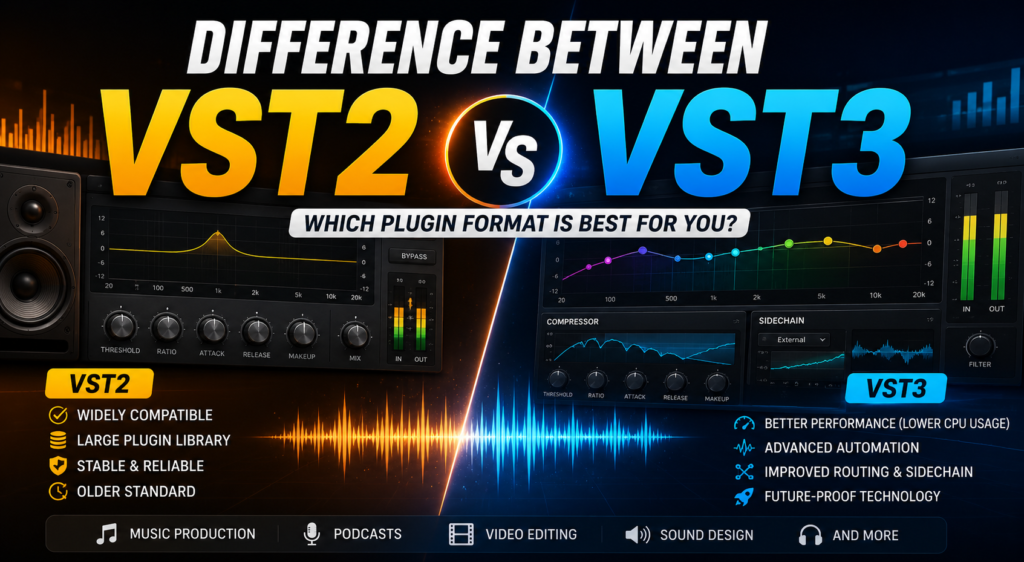
Among the available plugin formats, VST2 and VST3 are the two most widely used versions. Although both formats serve the same purpose, they differ significantly in terms of performance, efficiency, compatibility, and features.
In this guide, we’ll explain the difference between VST2 and VST3 plugins, compare their features, discuss their advantages and limitations, and help you decide which format is best for your workflow.
What Is a VST Plugin?
A VST (Virtual Studio Technology) plugin is a software component that adds instruments, audio effects, or processing tools to a Digital Audio Workstation (DAW). Instead of purchasing expensive hardware, producers and editors can use VST plugins to create professional audio directly on their computers.
Common types of VST plugins include:
- Equalizers (EQ)
- Compressors
- Reverb effects
- Delay effects
- Noise reduction tools
- Virtual instruments
- Guitar amplifiers
- Audio restoration plugins
As a result, VST plugins have become an essential part of both music production and video editing.
What Is VST2?
VST2 is the second generation of Steinberg’s Virtual Studio Technology plugin format. Released in 1999, it quickly became the industry standard and has been supported by thousands of audio plugins over the years.
Because of its reliability and broad compatibility, many professional studios still use VST2 plugins today.
Key Features of VST2
- Wide compatibility with older software
- Stable performance
- Large plugin library
- Support for audio effects and virtual instruments
- Easy installation and setup
Moreover, countless legacy plugins are available only in the VST2 format.
What Is VST3?
VST3 is the latest generation of the VST plugin format introduced by Steinberg. It was designed to improve performance, increase efficiency, and provide more advanced features for modern audio production.
Unlike VST2, VST3 includes smarter resource management, dynamic input/output handling, and improved automation capabilities.
Therefore, most newly released plugins now support VST3 as the primary format.
Key Features of VST3
- Dynamic CPU usage
- Improved audio routing
- Sample-accurate automation
- Better sidechain support
- Automatic silence detection
- Enhanced MIDI handling
- Improved processing efficiency
Consequently, VST3 is better suited for demanding and modern production workflows.
VST2 vs VST3: Feature Comparison
| Feature | VST2 | VST3 |
|---|---|---|
| Release Year | 1999 | 2008 |
| CPU Efficiency | Good | Excellent |
| Dynamic Processing | No | Yes |
| Sample-Accurate Automation | Limited | Yes |
| Sidechain Support | Limited | Native |
| Audio Routing | Basic | Advanced |
| MIDI Handling | Standard | Improved |
| Future Support | Limited | Active |
| Plugin Development | Discontinued | Ongoing |
Clearly, VST3 offers several improvements over the older VST2 standard.
Major Differences Between VST2 and VST3
CPU Performance
One of the biggest improvements in VST3 is resource efficiency.
VST2 plugins continue processing audio even when there is no signal. In contrast, VST3 plugins automatically stop processing during silent sections.
As a result, VST3 reduces CPU usage and improves overall system performance, especially in larger projects.
Audio Routing
VST2 provides basic input and output routing.
However, VST3 supports flexible routing that automatically adapts to different channel configurations.
Therefore, editors working with surround sound or complex mixing sessions benefit greatly from VST3.
Automation
Automation allows users to control plugin parameters over time.
While VST2 supports standard automation, VST3 offers sample-accurate automation for much smoother parameter changes.
Consequently, effects such as filter sweeps and volume transitions sound more natural.
Sidechain Support
Sidechain compression is commonly used in music production and broadcasting.
With VST2, sidechain routing often requires additional setup.
On the other hand, VST3 includes native sidechain support, making configuration much simpler.
Resource Management
Modern projects often contain dozens of plugins.
VST3 intelligently manages processing power by disabling inactive plugins automatically.
Therefore, editors can run larger sessions without placing unnecessary strain on their computers.
Advantages of VST2
Despite being an older format, VST2 still offers several benefits.
Broad Compatibility
Many older DAWs and plugins continue to support VST2.
Therefore, users working with legacy projects may still rely on this format.
Large Plugin Library
Thousands of classic plugins are available only as VST2 versions.
Moreover, many producers continue using these trusted tools because of their familiar sound and workflow.
Stable Performance
VST2 has been tested extensively over many years.
As a result, it remains a dependable choice for older production environments.
Advantages of VST3
VST3 introduces several improvements that benefit modern users.
Better Performance
Because inactive plugins consume fewer resources, VST3 projects generally run more efficiently.
Improved Workflow
Native sidechain support, advanced automation, and flexible routing simplify complex editing tasks.
Furthermore, these features help producers complete projects more quickly.
Future-Proof Format
Steinberg has ended VST2 licensing for new plugin development.
Therefore, most software companies now focus on VST3.
Consequently, future updates and innovations will primarily target the VST3 platform.
Which Plugin Format Should You Choose?
The best choice depends on your software, workflow, and compatibility needs.
Choose VST2 if you:
- Use older DAWs
- Need legacy plugins
- Open archived projects regularly
- Require compatibility with older systems
Choose VST3 if you:
- Use modern audio software
- Want lower CPU usage
- Need advanced automation
- Work with sidechain effects
- Prefer future-proof technology
In most modern workflows, VST3 is the recommended option.
Real-World Example
Imagine you’re editing a documentary containing dozens of dialogue tracks, background music, and sound effects.
If you use VST2 plugins, every plugin continues consuming CPU resources throughout the project.
However, if you switch to VST3 plugins, inactive effects automatically reduce their CPU usage.
As a result, playback becomes smoother, rendering is faster, and overall system performance improves.
Common Applications of VST Plugins
VST2 and VST3 plugins are widely used for:
- Music production
- Podcast editing
- Film post-production
- Video editing
- Audio restoration
- Live streaming
- Voice-over recording
- Broadcasting
- Sound design
Therefore, choosing the right plugin format can improve productivity across many creative workflows.
Frequently Asked Questions
Can VST2 and VST3 plugins work together?
Yes. Most modern DAWs support both formats, allowing you to use them within the same project.
Is VST3 better than VST2?
For most users, yes. VST3 offers better performance, lower CPU usage, improved automation, and advanced routing features.
Are VST2 plugins still supported?
Many existing VST2 plugins continue to work. However, most new plugin development now focuses on VST3.
Will my old VST2 plugins stop working?
No. If your DAW supports VST2, your existing plugins should continue to function normally.
Should beginners use VST3?
Yes. Since VST3 is the current industry standard, beginners will benefit from its improved efficiency and long-term compatibility.
Tips for Choosing Between VST2 and VST3
To make the right decision:
- Use VST3 whenever it is available.
- Keep VST2 only for older plugins that lack VST3 versions.
- Update your DAW regularly.
- Organize your plugins by format.
- Remove duplicate plugin versions if they are unnecessary.
- Test plugin compatibility before starting important projects.
Additionally, backing up your plugin library ensures you can restore your setup if needed.
Final Thoughts
Both VST2 and VST3 plugins are powerful tools that have shaped modern audio production. While VST2 remains valuable for legacy compatibility, VST3 delivers better performance, smarter resource management, advanced automation, and improved workflow efficiency.
If you’re building a new production environment or upgrading your existing setup, VST3 is the better long-term choice. However, if your projects depend on older plugins, keeping VST2 support remains worthwhile. Ultimately, understanding the differences between VST2 and VST3 helps you choose the right format for your workflow and ensures a smoother, more efficient editing experience.