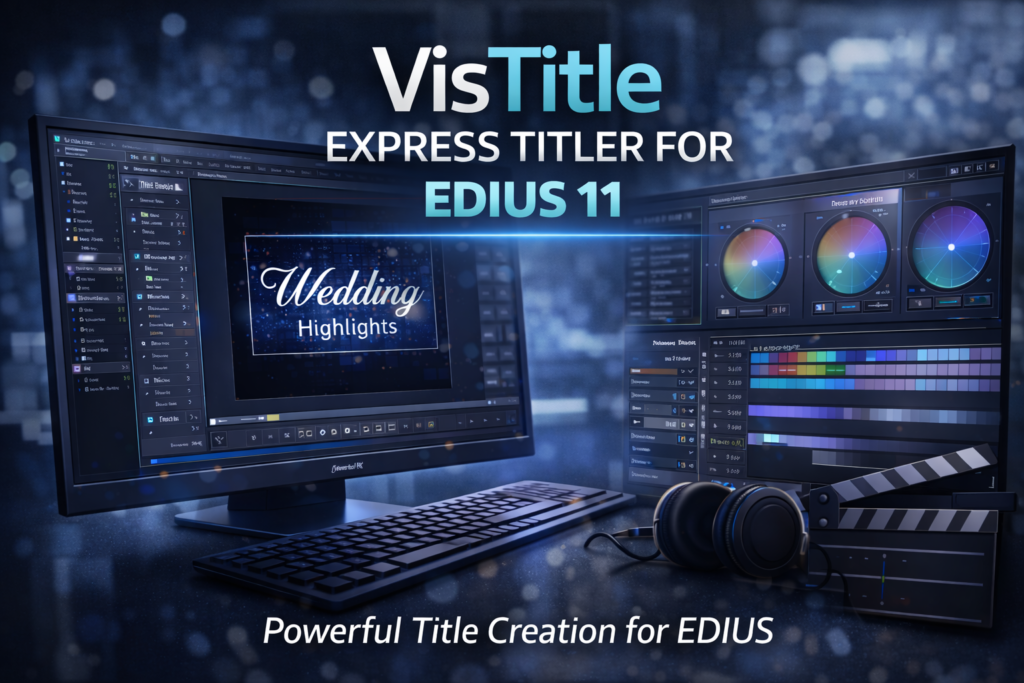

VisTitle Express Titler for EDIUS 11: Complete Professional Guide
Creating clean and professional titles is essential in video editing. VisTitle Express Titler for EDIUS 11 is designed to simplify this task while maintaining broadcast-quality results. It offers powerful text tools that integrate smoothly with the EDIUS 11 editing workflow.
Many editors struggle with basic title tools that lack flexibility. Therefore, VisTitle Express becomes a practical solution for those who want speed, precision, and visual consistency. This guide explains how VisTitle Express works, its features, real-world benefits, and whether it is worth using with EDIUS 11.
What Is VisTitle Express Titler for EDIUS 11?
VisTitle Express is a professional titling plugin developed specifically for EDIUS users. It works directly inside EDIUS 11, allowing editors to create titles without leaving the timeline.
Unlike basic text generators, VisTitle Express focuses on efficiency and design accuracy. Moreover, it supports a wide range of title styles suitable for news, events, corporate videos, and YouTube content.
Why VisTitle Express Titler for EDIUS 11 Matters
Titles play a major role in storytelling. Poor titles reduce engagement, while clean titles improve clarity.
Key Reasons Editors Use VisTitle Express
- Seamless integration with EDIUS 11
- Fast title creation workflow
- Professional font handling
- Precise alignment and spacing tools
Therefore, editors save time while improving visual quality.
Core Features of VisTitle Express for EDIUS
VisTitle Express offers features designed for real production environments.
Easy Title Creation
- Simple interface
- Drag-and-drop text elements
- Quick text replacement
- Real-time preview
Professional Text Controls
- Advanced font control
- Kerning and tracking adjustment
- Line spacing and alignment tools
- Shadow and outline options
These features help maintain consistent branding across projects.
Advanced Title Design Capabilities
Layer-Based Text Editing
VisTitle Express allows multiple text layers in a single title. Therefore, editors can stack names, subtitles, and graphics easily.
Animation and Movement
- Smooth text animations
- Position and opacity control
- Timeline-based adjustments
Although simple, these animations add a professional look.
VisTitle Express Titler for EDIUS 11 Workflow
One major advantage is workflow efficiency.
How It Works Inside EDIUS 11
- Add VisTitle Express from effects panel
- Open the title editor
- Customize text and layout
- Apply directly on timeline
As a result, there is no need for external software.
Real-World Use Case Examples
News and Broadcast Editing
Broadcasters need fast and consistent titles. VisTitle Express supports quick lower thirds and name straps.
Wedding and Event Videos
Editors use elegant fonts and soft animations to highlight names and dates.
YouTube and Social Media Content
Clear titles improve viewer retention. Therefore, creators rely on VisTitle Express for branding.
Comparison: VisTitle Express vs Default EDIUS Titler
| Feature | VisTitle Express | Default EDIUS Titler |
|---|---|---|
| Ease of Use | High | Medium |
| Font Control | Advanced | Basic |
| Animation Options | Better | Limited |
| Workflow Speed | Fast | Moderate |
| Professional Output | Yes | Basic |
Clearly, VisTitle Express offers more control and speed.
Performance and System Compatibility
VisTitle Express is optimized for EDIUS 11.
Performance Benefits
- Low system resource usage
- Smooth preview playback
- Stable rendering
Therefore, it works well even on mid-range systems.
Installation and Setup for EDIUS 11
Setting up VisTitle Express is straightforward.
Basic Setup Steps
- Install VisTitle Express using official installer
- Launch EDIUS 11
- Access VisTitle from effects panel
Once installed, it is ready for use.
Pros and Cons of VisTitle Express Titler
Pros
- Easy learning curve
- Professional title quality
- Seamless EDIUS integration
- Time-saving workflow
Cons
- Limited complex 3D effects
- Requires licensed version
However, for most editors, the benefits outweigh limitations.
Tips to Get Better Titles with VisTitle Express
- Use consistent fonts across projects
- Keep titles short and readable
- Align text properly for safe areas
- Avoid excessive animations
Moreover, saving templates improves speed.
Frequently Asked Questions (FAQs)
What is VisTitle Express Titler for EDIUS 11?
It is a professional title plugin designed to work inside EDIUS 11.
Is VisTitle Express suitable for beginners?
Yes. Its interface is simple and easy to learn.
Can I use VisTitle Express for commercial projects?
Yes. It is suitable for professional and client work.
Does VisTitle Express slow down EDIUS 11?
No. It is optimized for smooth performance.
Is VisTitle Express better than default EDIUS titles?
Yes. It offers better control, speed, and design options.
WordPress SEO Optimization Suggestions
Suggested Image Alt Text
- “VisTitle Express Titler for EDIUS 11 interface”
- “Professional titles using VisTitle Express for EDIUS”
- “EDIUS 11 VisTitle Express title editor”
Internal Linking Ideas
- Link to: Best EDIUS 11 Plugins
- Link to: EDIUS 11 Editing Tips and Tricks
- Link to: Professional Video Editing Workflow Guide
External Authority Links
- Grass Valley official EDIUS website
- Professional video editing tutorials
- Typography best practices for video
Conclusion: Is VisTitle Express Titler for EDIUS 11 Worth It?
VisTitle Express Titler for EDIUS 11 is a practical and reliable solution for editors who need clean, professional titles without complex tools. It improves workflow speed, enhances visual quality, and integrates perfectly with EDIUS 11.
If you want better titles without slowing down your editing process, VisTitle Express is a strong choice.
Try VisTitle Express and upgrade your EDIUS 11 titles today.