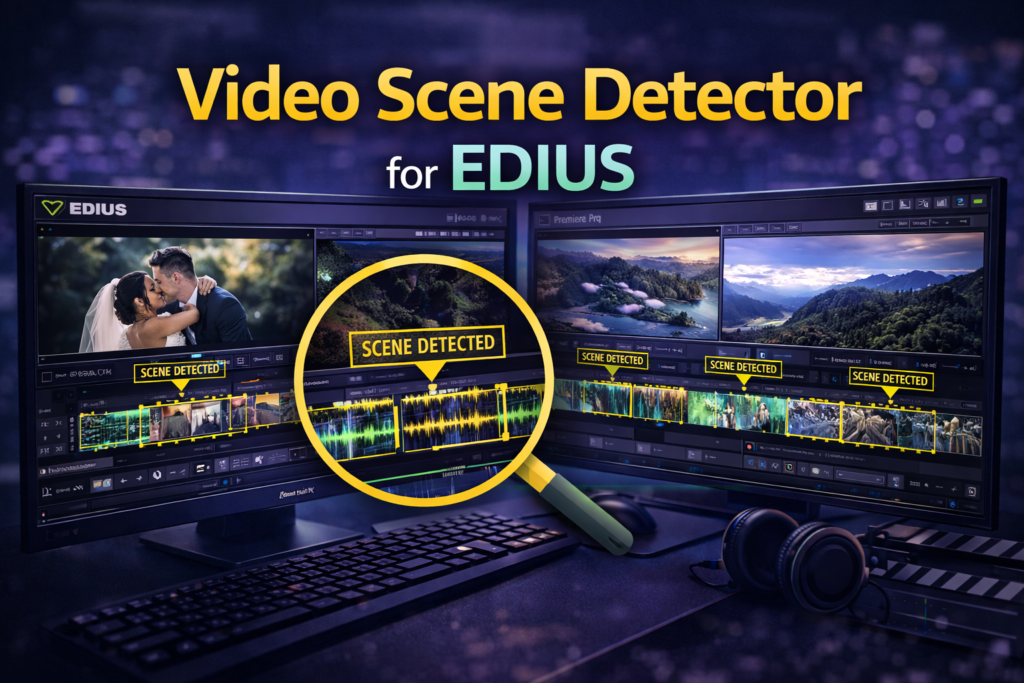

Video Scene Detector for EDIUS – Complete Guide
Editing long videos manually can be time-consuming, especially when you need to find every scene change yourself. Whether you’re working on a wedding film, an event recording, a documentary, or a YouTube video, manually splitting footage into multiple clips slows down your workflow. This is where the Video Scene Detector for EDIUS becomes an essential tool.
The Video Scene Detector for EDIUS is a powerful EDIUS readymade project that automatically detects scene changes and splits long video clips into clean, editable segments. As a result, editors save valuable time, reduce manual work, and improve overall editing efficiency.
Furthermore, whether you’re a beginner or a professional editor, this tool helps streamline your editing workflow while maintaining complete control over your project.
What Is Video Scene Detector for EDIUS?
The Video Scene Detector for EDIUS is a smart editing solution designed to analyze video footage and identify scene transitions automatically. Instead of reviewing footage frame by frame, the software quickly detects camera cuts and separates long recordings into multiple clips.
Consequently, editors can begin editing immediately without spending hours preparing the timeline.
This tool is ideal for:
- Wedding videos
- Event recordings
- Interviews
- Documentary footage
- Long camera takes
- Corporate presentations
- YouTube videos
Moreover, it integrates seamlessly with EDIUS, ensuring excellent compatibility, smooth performance, and accurate timeline synchronization.
Why Scene Detection Matters in Video Editing
Scene detection plays an important role in modern video editing. Without automatic detection, editors often spend hours manually cutting footage before they can begin the creative process.
Common Challenges Without Scene Detection
- Time wasted on manual cutting
- Missed scene transitions
- Inconsistent clip organization
- Longer editing sessions
- Slower project delivery
Fortunately, automatic scene detection eliminates these problems by identifying cuts quickly and accurately. As a result, editors can focus more on storytelling instead of repetitive editing tasks.
Key Features of Video Scene Detector for EDIUS
The Video Scene Detector for EDIUS includes several practical features that improve productivity.
Automatic Scene Detection
The tool intelligently scans video footage and detects:
- Camera cuts
- Angle changes
- Lighting variations
- Visual transitions
As a result, clips are separated automatically, reducing manual work significantly.
One-Click Clip Separation
With just one click, long recordings are divided into multiple clips on the EDIUS timeline.
Therefore, editors can organize footage much faster and begin editing immediately.
Non-Destructive Workflow
Unlike destructive editing methods, this tool leaves the original footage untouched.
Instead, it simply creates timeline cuts, giving editors complete flexibility throughout the editing process.
Optimized for EDIUS
Because the project is designed specifically for EDIUS, it performs smoothly even with high-resolution footage.
Additionally, editors can continue working without experiencing unnecessary delays or playback issues.
How Video Scene Detector for EDIUS Works
The workflow is simple and suitable for editors of all experience levels.
Step 1: Import Your Footage
First, import your raw video files into EDIUS.
Step 2: Apply the Scene Detector
Next, launch the Video Scene Detector project.
Step 3: Analyze the Video
The software scans your footage and identifies scene changes automatically.
Step 4: Generate Timeline Cuts
Once the analysis is complete, the tool separates the footage into multiple clips.
Step 5: Begin Editing
Finally, start trimming, adding transitions, color grading, and exporting your project.
Overall, the entire preparation process takes only a fraction of the time required for manual editing.
Real-World Use Cases
Wedding Video Editing
Wedding videographers often work with several hours of footage.
The Video Scene Detector automatically separates:
- Ceremony clips
- Rituals
- Guest reactions
- Reception highlights
- Dance performances
As a result, editors can quickly locate important moments and complete projects much faster.
Event Coverage
Event recordings usually contain continuous footage.
However, the detector automatically identifies:
- Speaker changes
- Camera switches
- Presentation transitions
- Audience reactions
Therefore, organizing event footage becomes much easier.
YouTube Content Creation
YouTube creators frequently record long sessions.
The detector separates:
- Introductions
- Main content
- Demonstrations
- Closing segments
Consequently, creators spend less time organizing footage and more time producing engaging content.
Benefits of Using Video Scene Detector for EDIUS
Using the Video Scene Detector for EDIUS offers several advantages.
| Benefit | Description |
|---|---|
| Time Saving | Reduces manual clip cutting |
| Higher Accuracy | Detects scene changes automatically |
| Better Productivity | Speeds up editing workflows |
| Beginner Friendly | Easy-to-use interface |
| Professional Results | Creates clean and organized timelines |
Moreover, editors can concentrate on storytelling instead of repetitive editing tasks.
Why Choose an EDIUS Readymade Project?
An EDIUS readymade project provides pre-configured settings that eliminate complicated setup procedures.
As a result, users can start working immediately without spending time on technical configuration.
Advantages
- Plug-and-play installation
- No advanced setup required
- Consistent editing results
- Faster workflow
- Suitable for freelancers and studios
Additionally, experienced editors can customize the workflow according to their project requirements.
Manual Editing vs. Video Scene Detector
| Feature | Manual Editing | Video Scene Detector |
|---|---|---|
| Speed | Slow | Fast |
| Accuracy | Depends on the editor | Automatic |
| Effort | High | Low |
| Consistency | Variable | Consistent |
| Productivity | Lower | Higher |
Clearly, automatic scene detection delivers a faster and more reliable editing experience.
Best Practices for Better Results
To achieve the best results, follow these recommendations:
- Use high-quality footage whenever possible.
- Ensure stable lighting during recording.
- Avoid excessive motion blur.
- Combine scene detection with timeline markers.
- Review detected cuts before exporting.
By following these tips, you can maximize both accuracy and editing efficiency.
Frequently Asked Questions
What is Video Scene Detector for EDIUS?
It is an automated tool that detects scene changes and splits long clips into separate timeline segments inside EDIUS.
Is it beginner-friendly?
Yes. In fact, the workflow is simple enough for beginners while remaining powerful for professionals.
Does it reduce video quality?
No. Instead, it creates timeline cuts without modifying the original footage.
Can I use it for wedding editing?
Absolutely. In addition, it works exceptionally well for events, documentaries, interviews, and corporate videos.
Is it an EDIUS readymade project?
Yes. It comes fully prepared with optimized settings, allowing you to start editing immediately.
Internal Linking Suggestions
For a better user experience, consider linking this article to:
- EDIUS Wedding Project Tutorials
- EDIUS Editing Workflow Guide
- Auto Beat Maker for EDIUS
- EDIUS Effects and Plugins
- AI Features in EDIUS 11
External Resources
For additional information, you can also refer to:
- Grass Valley EDIUS Official Website
- Professional Video Editing Resources
- Non-Linear Editing Workflow Guides
Suggested Image Alt Text
- Video Scene Detector for EDIUS timeline view
- Automatic scene detection in EDIUS software
- EDIUS readymade project scene detection
- Video Scene Detector for EDIUS workflow
- Automatic clip splitting in EDIUS
Conclusion
The Video Scene Detector for EDIUS is an essential solution for editors who want to improve speed, accuracy, and productivity. Instead of manually reviewing hours of footage, you can automatically detect scene changes and organize clips within seconds.
Moreover, as an EDIUS readymade project, it simplifies complex workflows without sacrificing quality. Whether you’re editing weddings, documentaries, YouTube videos, or corporate productions, this tool helps you save time while delivering professional results. Ultimately, investing in the Video Scene Detector for EDIUS allows you to focus more on creativity and less on repetitive editing tasks.
Call to Action
Ready to edit smarter? Download the Video Scene Detector for EDIUS today and experience faster scene detection, cleaner timelines, and a more efficient video editing workflow.