
Introduction
Advance Studio Tools in Delux Editor Pro help photographers and album designers edit portraits, wedding photos, and studio images with greater speed and precision. Moreover, these intelligent tools combine AI-powered automation with professional editing features, making complex photo enhancement much easier. As a result, photographers can save time, improve consistency, and deliver premium-quality images for every project.
What Are Advance Studio Tools?
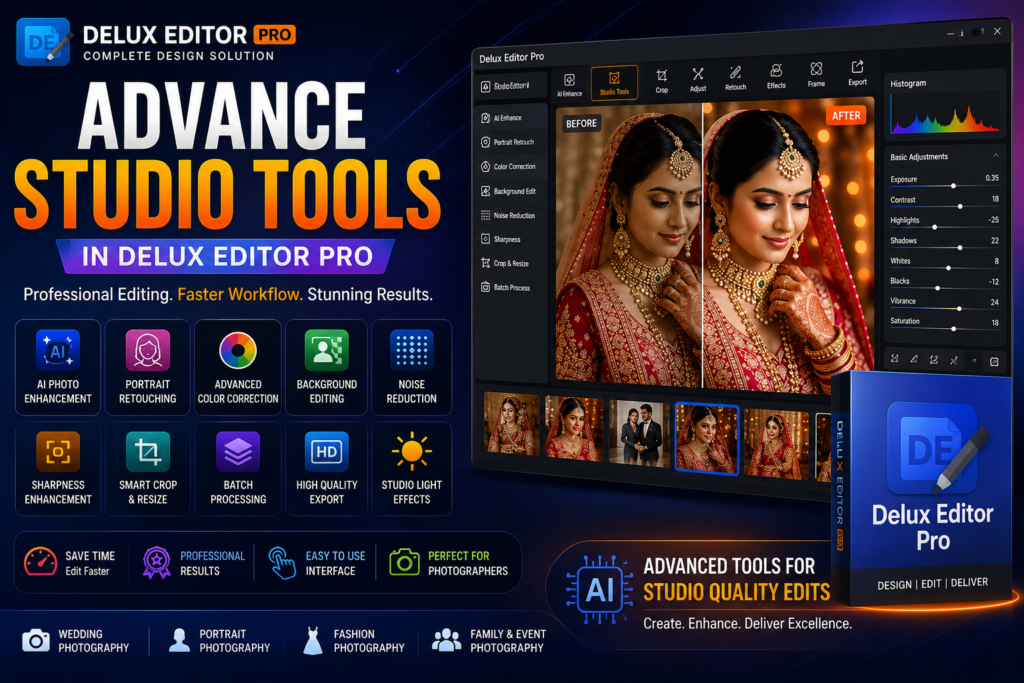
Advance Studio Tools are a collection of professional editing features available in Delux Editor Pro. These tools allow users to enhance portraits, improve colors, retouch skin, remove distractions, and prepare images for high-quality printing.
Furthermore, everything is available within one application, so there is no need to switch between multiple editing programs. Consequently, the editing workflow becomes faster, smoother, and more productive.
Benefits of Advance Studio Tools
Professional photographers need reliable editing software that produces consistent results. Therefore, Delux Editor Pro includes intelligent editing features that reduce manual work while maintaining excellent image quality.
Some major benefits include:
- AI-powered photo enhancement
- Professional portrait retouching
- Faster editing workflow
- High-quality color correction
- Smart background editing
- Batch image processing
- Print-ready export
- Beginner-friendly interface
- Professional-quality output
- Improved productivity
Advance Studio Tools for Wedding Photography
Wedding photographers often edit hundreds of images from a single event. Fortunately, Delux Editor Pro makes this process much easier.
For example, photographers can quickly improve skin tones, balance colors, remove minor imperfections, and enhance portrait details. In addition, AI-powered automation helps maintain a consistent editing style throughout the entire wedding album.
Therefore, wedding photographers can deliver projects faster without compromising quality.
Key Features
AI-Powered Photo Enhancement
Automatically adjusts exposure, contrast, brightness, and image quality. As a result, photographs appear more vibrant and professional.
Advanced Color Correction
Improve skin tones, white balance, highlights, shadows, and overall color accuracy with intelligent editing tools.
Portrait Retouching
Remove blemishes, smooth skin, and enhance facial details while preserving a natural appearance.
Background Editing
Replace, blur, or enhance backgrounds to create clean and attractive portraits.
Smart Crop and Resize
Automatically crop images while maintaining proper composition for albums and prints.
Noise Reduction
Reduce digital noise in low-light photographs without affecting image sharpness.
Sharpness Enhancement
Improve image clarity and highlight fine details for professional-quality results.
Batch Processing
Edit multiple photos simultaneously using identical settings. Consequently, photographers can save hours of editing time.
How to Use Advance Studio Tools
Using these professional editing features is simple.
Step 1: Import Photos
Open Delux Editor Pro and import your selected images.
Step 2: Apply AI Enhancement
Next, allow the AI engine to optimize brightness, exposure, and contrast automatically.
Step 3: Adjust Colors
After that, fine-tune white balance, highlights, shadows, saturation, and color balance.
Step 4: Retouch Portraits
Then, improve skin texture, remove blemishes, and enhance facial details.
Step 5: Edit Background
If necessary, replace or improve the background for a cleaner composition.
Step 6: Export Images
Finally, export your photos in high resolution for printing or digital sharing.
Why Choose Advance Studio Tools in Delux Editor Pro?
Delux Editor Pro combines powerful editing features with intelligent automation.
Some of its most popular capabilities include:
- Auto Album Design
- AI Editing Tools
- Professional Studio Editing
- Advanced Color Correction
- Photoshop Integration
- Premium PSD Templates
- Drag-and-Drop Editing
- Batch Processing
- Print-Ready Export
- High-Speed Performance
Moreover, the software is designed for photographers who want professional results without spending hours on manual editing.
Tips for Better Studio Editing
To achieve the best results, follow these professional recommendations:
- Use high-resolution images.
- Correct exposure before applying creative edits.
- Keep skin tones natural.
- Avoid excessive sharpening.
- Maintain consistent colors across every image.
- Save editing presets for future projects.
- Review images before exporting.
- Always export in high resolution.
Additionally, organizing photos before editing can significantly improve your workflow.
Who Should Use These Studio Editing Features?
Delux Editor Pro is suitable for:
- Wedding photographers
- Studio photographers
- Portrait photographers
- Album designers
- Freelance photo editors
- Event photographers
- Commercial photographers
- Fashion photographers
- Content creators
- Beginners learning professional photo editing
Whether you edit a few portraits or thousands of wedding photographs, these tools help improve speed and quality.
Final Thoughts
Advance Studio Tools in Delux Editor Pro provide everything photographers need for modern photo editing. From AI-powered enhancements and portrait retouching to intelligent color correction and batch processing, the software simplifies every stage of the editing workflow.
Furthermore, the easy-to-use interface makes advanced editing accessible to beginners, while professional photographers benefit from faster production and consistent results. Overall, Delux Editor Pro is an excellent choice for anyone looking to create stunning, print-ready photographs with less effort.