
Introduction
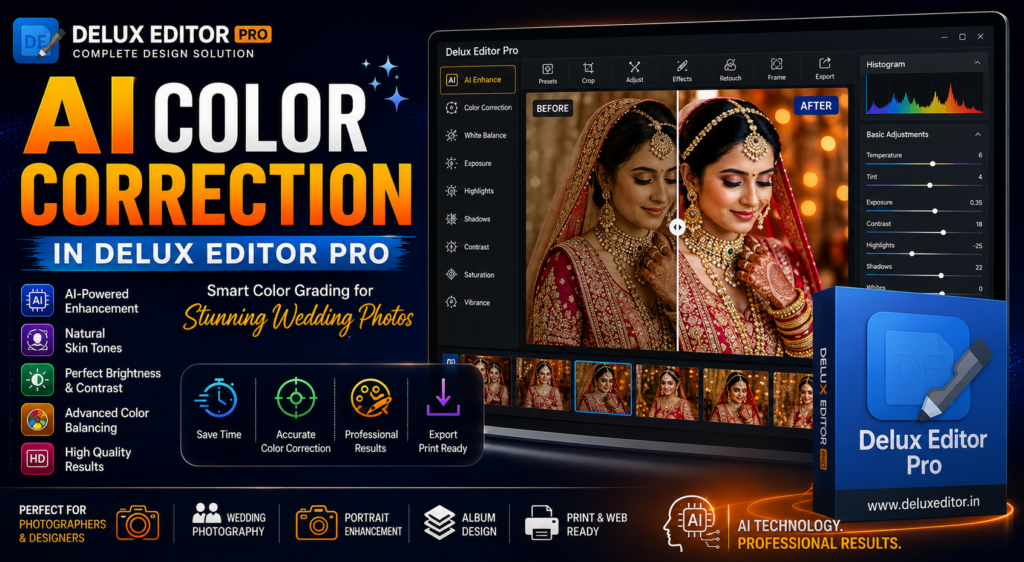
Smart Color Correction in Delux Editor Pro helps photographers enhance wedding photos with intelligent color grading, automatic skin tone correction, and professional editing tools. Whether you are editing wedding albums, pre-wedding shoots, portraits, or event photography, this powerful feature saves time while delivering vibrant and natural-looking results. Moreover, it ensures consistent colors across every project, making photo editing faster, easier, and more professional.
What is Smart Color Correction?
This feature is an advanced image enhancement tool that automatically improves the color balance, brightness, contrast, exposure, white balance, and overall appearance of your photographs. Instead of spending hours adjusting every setting manually, Delux Editor Pro intelligently analyzes each image and applies optimized corrections.
As a result, photographers can achieve professional-quality images with significantly less effort. Furthermore, the software maintains natural skin tones and realistic colors, making it ideal for wedding photography. (For background on how color grading works more broadly, see this overview of color grading on Wikipedia.)
Why Smart Color Correction is Important
Every camera captures colors differently. Additionally, lighting conditions, weather, and camera settings often affect the final image. Consequently, photographs may appear too dark, too bright, or have incorrect color tones.
By using this tool, photographers can:
- Improve overall image quality
- Correct white balance
- Enhance natural skin tones
- Recover highlight and shadow details
- Increase color accuracy
- Create consistent album colors
- Produce professional-looking photographs
Therefore, every image looks more polished and ready for client delivery.
Key Features of Smart Color Correction
Delux Editor Pro includes several intelligent editing tools that simplify professional photo enhancement.
AI-Powered Color Enhancement First, the software automatically analyzes every image and improves brightness, contrast, exposure, and color balance.
Natural Skin Tone Correction Next, the tool preserves realistic skin tones while enhancing facial details. As a result, portraits appear clean, vibrant, and natural.
Smart White Balance Furthermore, the software removes unwanted warm or cool color casts caused by different lighting conditions.
Brightness and Contrast Control Additionally, photographers can fine-tune lighting levels to create balanced and visually appealing photographs.
Highlight and Shadow Recovery Moreover, Delux Editor Pro restores details in both bright and dark areas without reducing image quality.
Saturation and Vibrance Adjustment Finally, it improves color richness while maintaining a natural appearance.
How to Use Smart Color Correction in Delux Editor Pro
Using this feature is quick and beginner-friendly.
- Import your photos into Delux Editor Pro.
- Open the color correction panel.
- Apply automatic color enhancement.
- Adjust brightness, contrast, or white balance if required.
- Preview the edited image.
- Save or export the final high-resolution photo.
Consequently, photographers can edit hundreds of wedding images in much less time.
Show Image
Benefits of Smart Color Correction
Using this feature offers several important benefits.
- Saves editing time
- Produces consistent image quality
- Enhances natural skin tones
- Improves brightness and contrast
- Reduces manual editing
- Delivers professional results
- Supports high-resolution exports
- Suitable for beginners and professionals
Most importantly, photographers can complete projects faster while maintaining excellent quality.
Best Use Cases
This feature works perfectly for:
- Wedding photography
- Pre-wedding shoots
- Engagement photography
- Reception photography
- Portrait photography
- Baby photography
- Fashion photography
- Studio photography
- Event photography
Whether you are editing a single portrait or an entire wedding album, this feature delivers consistent results.
Why Choose Delux Editor Pro?
Delux Editor Pro combines powerful AI technology with an easy-to-use interface.
Not only does it include this AI-powered color tool, but it also offers:
- Auto Album Design
- AI Background Removal
- Photoshop Integration
- Premium PSD Templates
- Print-Ready Export
- Drag-and-Drop Editing
- High-Speed Performance
- Lifetime License
Therefore, photographers can complete editing and album design much faster than traditional workflows.
Tips for Better Color Correction Results
Although AI performs most of the work automatically, following these best practices will improve your results.
- Use high-resolution images.
- Correct exposure before exporting.
- Keep skin tones natural.
- Avoid excessive saturation.
- Maintain consistent color grading throughout the album.
- Review every image before saving.
- Use professional templates for better presentation.
Ultimately, small adjustments can make a significant difference in the final output.
Why Professional Photographers Prefer This Approach
Professional photographers need speed without sacrificing quality. Fortunately, Smart Color Correction in Delux Editor Pro provides both.
Moreover, it reduces repetitive editing tasks, allowing photographers to focus on creativity instead of manual adjustments. As a result, studios can deliver projects more quickly while maintaining consistent image quality.
Final Thoughts
Smart Color Correction in Delux Editor Pro transforms the photo editing process by combining intelligent automation with professional editing controls. Whether you are editing portraits, wedding albums, or event photography, this feature produces vibrant, balanced, and natural-looking images.
Furthermore, its beginner-friendly interface, powerful AI technology, and seamless workflow make it an excellent choice for photographers of all experience levels. If you want faster editing, better consistency, and professional-quality results, this tool is the perfect solution.