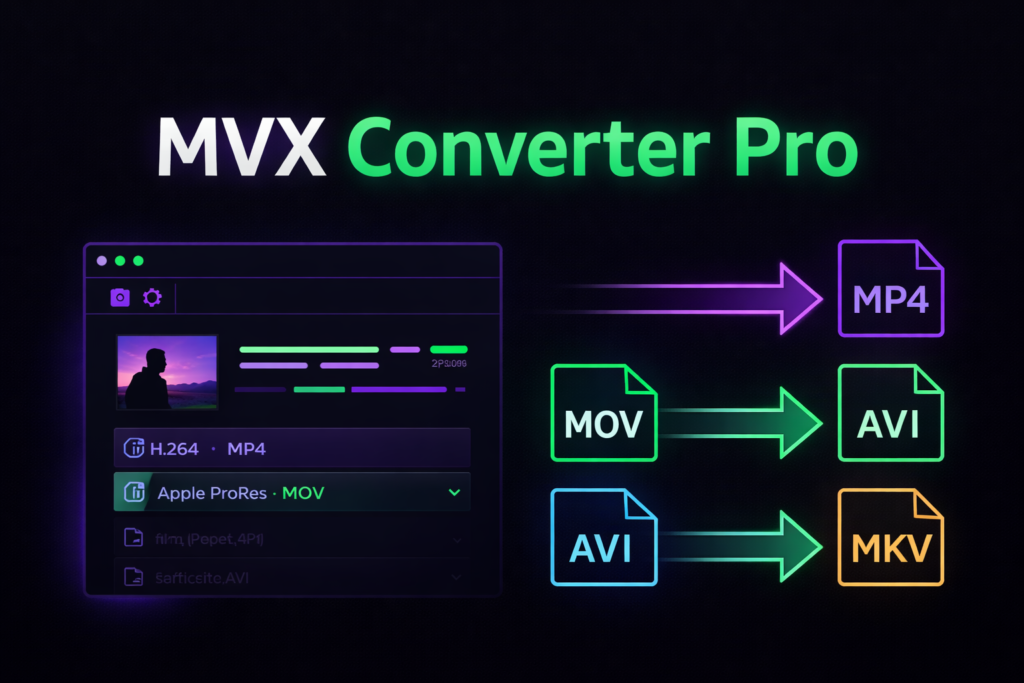

MVX Converter Pro – A Powerful Video Conversion Solution
MVX Converter Pro is a professional video conversion solution designed for editors, creators, and production studios. It helps convert video files quickly while maintaining high quality. In today’s workflow, editors handle multiple formats daily. Therefore, having a reliable converter is essential.
Within the first few minutes of editing, compatibility issues can slow production. Moreover, unsupported codecs often cause playback errors. MVX Converter Pro solves these problems with speed, accuracy, and stability. As a result, editors can focus more on creativity and less on technical hurdles.
This article explains what MVX Converter Pro offers, how it works, and why it is useful for modern video workflows.
What Is MVX Converter Pro?
MVX Converter Pro is a professional-grade video format conversion software. It allows users to convert videos into multiple formats suitable for editing, sharing, or archiving.
Unlike basic converters, MVX Converter Pro focuses on:
- High-quality output
- Professional codec support
- Fast processing speeds
- Batch file handling
Therefore, it fits perfectly into broadcast, wedding, documentary, and YouTube workflows.
Why Video Conversion Matters in Professional Editing
Video editing software often requires specific formats. However, footage may arrive in different codecs and containers.
Common problems include:
- Unsupported file formats
- Audio sync issues
- Playback lag
- Quality loss after conversion
MVX Converter Pro ensures that videos are converted correctly before editing. As a result, timelines stay smooth and error-free.
Key Features of MVX Converter Pro
Wide Format and Codec Support
MVX Converter Pro supports a broad range of video formats, including professional and consumer codecs. This flexibility makes it ideal for editors working with varied footage sources.
Supported formats typically include:
- MP4
- MOV
- AVI
- MKV
- MPEG
- Broadcast-ready formats
Therefore, editors can convert files without worrying about compatibility.
High-Quality Video Conversion
Quality loss is a major concern during conversion. However, MVX Converter Pro maintains resolution, color depth, and frame accuracy.
Benefits include:
- Sharp visuals
- Clean audio
- Minimal compression artifacts
As a result, converted files are suitable for professional editing and final delivery.
Batch Video Conversion
Handling multiple files manually wastes time. MVX Converter Pro supports batch conversion, which allows users to convert many files at once.
This feature is especially useful for:
- Wedding projects
- Event footage
- News production
- YouTube content libraries
Therefore, productivity improves significantly.
Fast Processing Speed
MVX Converter Pro is optimized for speed. It uses efficient encoding methods to reduce processing time without sacrificing quality.
Moreover, faster conversion means:
- Shorter turnaround times
- Better project management
- Less system strain
User-Friendly Interface
Professional tools do not need to be complicated. MVX Converter Pro features a clean interface that is easy to understand.
Even beginners can:
- Import files easily
- Choose output formats quickly
- Start conversion with minimal setup
Therefore, learning time is minimal.
Real-World Use Cases of MVX Converter Pro
Wedding Video Editing
Wedding videographers often receive footage from multiple cameras. Each camera may use a different format.
MVX Converter Pro helps by:
- Converting all files into a single editing format
- Maintaining consistent quality
- Saving hours during pre-edit setup
YouTube and Content Creators
Creators need videos in specific formats for platforms. MVX Converter Pro ensures that uploads meet technical standards.
As a result:
- Videos upload faster
- Playback issues reduce
- Platform compression is minimized
Broadcast and Corporate Workflows
Broadcast projects demand strict technical standards. MVX Converter Pro helps convert files accurately for delivery.
Therefore, it supports:
- Professional workflows
- Archive preparation
- Client-ready exports
MVX Converter Pro vs Free Video Converters
| Feature | MVX Converter Pro | Free Converters |
|---|---|---|
| Output Quality | High | Often reduced |
| Batch Conversion | Yes | Limited |
| Professional Codecs | Supported | Rare |
| Speed | Fast | Slower |
| Reliability | Stable | Unpredictable |
As shown above, MVX Converter Pro clearly offers more value for professionals.
System Requirements and Compatibility
MVX Converter Pro works on standard editing systems. It is optimized for smooth performance.
Typical requirements include:
- Windows OS
- Multi-core processor
- Adequate RAM for video files
- Sufficient storage
Therefore, most editing machines can run it efficiently.
How MVX Converter Pro Improves Editing Workflow
Using MVX Converter Pro before editing ensures:
- Clean timeline playback
- Reduced crashes
- Faster exports
Moreover, editors can focus on storytelling rather than fixing technical issues.
Frequently Asked Questions (FAQs)
What is MVX Converter Pro used for?
MVX Converter Pro is used to convert video files into compatible formats for editing, sharing, and professional delivery.
Does MVX Converter Pro reduce video quality?
No. It is designed to preserve high-quality video and audio during conversion.
Can MVX Converter Pro handle large video files?
Yes. It supports large files and batch processing without performance loss.
Is MVX Converter Pro suitable for beginners?
Yes. Its simple interface makes it easy for beginners while remaining powerful for professionals.
Is MVX Converter Pro good for editing workflows?
Absolutely. It prepares footage correctly, which improves editing speed and stability.
SEO Image Alt Text Suggestions
Use relevant alt text such as:
- “MVX Converter Pro video conversion interface”
- “MVX Converter Pro batch video conversion”
- “Professional video conversion with MVX Converter Pro”
Internal Linking Recommendations
Link this article to:
- Video editing software guides
- EDIUS workflow tutorials
- Post-production optimization articles
This improves site structure and SEO performance.
External Authority Link Suggestions
Consider linking to:
- Official video codec documentation
- Professional video editing standards pages
- Broadcast workflow resources
These links improve credibility and trust.
Conclusion – Is MVX Converter Pro Worth It?
MVX Converter Pro is a reliable and efficient solution for professional video conversion. It delivers high-quality output, fast processing, and broad format support. Moreover, it simplifies complex workflows and saves valuable time.
If you work with video regularly, MVX Converter Pro is a practical investment. It improves workflow efficiency and ensures smooth editing from start to finish.
Try MVX Converter Pro today and experience professional video conversion without compromise.