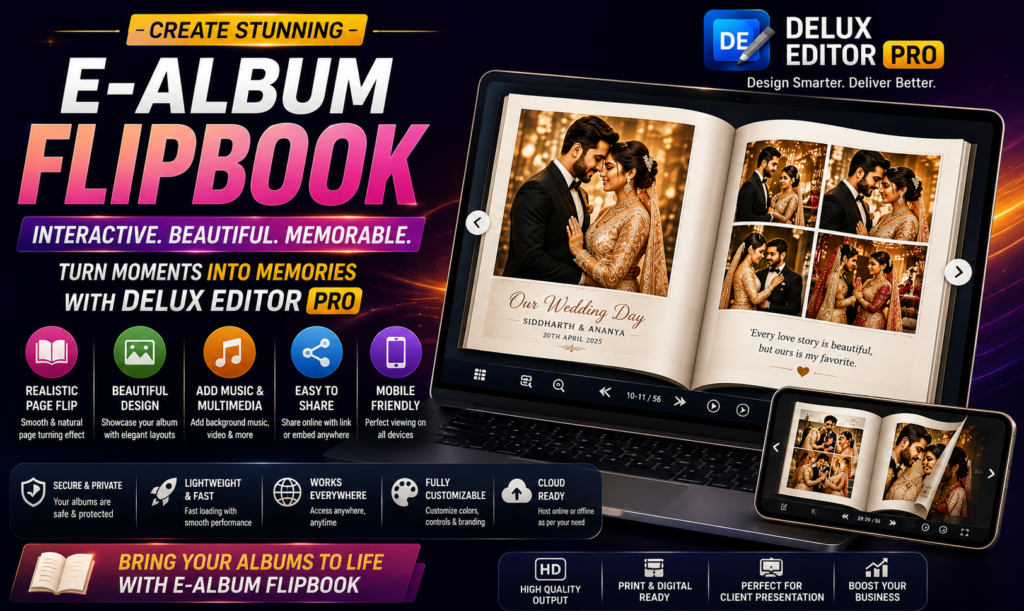

An E-Album Flipbook transforms a traditional digital photo album into an interactive experience. Instead of simply scrolling through static images, viewers can turn pages, explore layouts, and enjoy wedding memories in a more realistic album-style presentation.
For photographers and album designers, digital albums are becoming an important way to showcase completed projects. Moreover, an interactive flipbook can make an album feel more premium while giving clients an easy way to view and share their memories online.
With Delux Editor Pro, photographers can create professional album layouts and prepare their designs for engaging digital presentations.
What Is an E-Album Flipbook?
An E-Album Flipbook is a digital album designed to imitate the experience of opening a physical photo album.
Instead of viewing one image after another, the viewer can move through pages using a realistic page-turning interface. Consequently, wedding photographs feel more like a professionally printed album.
A digital flipbook can include:
- Wedding photographs
- Full-page album designs
- Couple portraits
- Family photographs
- Wedding ceremony moments
- Reception highlights
- Decorative backgrounds
- Text and captions
- Cover and closing pages
The result is a digital presentation that combines photography, design, and interactive viewing.
Why Use a Digital Flipbook for Wedding Albums?
Traditional printed albums remain popular. However, digital presentations provide several additional benefits.
Easy to Share
A digital album can be shared with clients without physically delivering a printed album. For example, photographers can provide a viewing link or digital file through their preferred delivery method.
Better Client Presentations
An interactive album can make a client presentation feel more engaging. Instead of opening individual image files, clients can browse the entire project like a real album.
Convenient Viewing
Clients can view digital albums on supported computers, tablets, and other devices. Therefore, they can revisit their wedding memories whenever they want.
Useful for Portfolio Presentation
Photographers can also use digital albums to demonstrate their design quality to potential clients.
E-Album Flipbook Design With Delux Editor Pro
Creating a professional digital album begins with a well-designed layout.
Delux Editor Pro is designed for wedding album creation, allowing designers to arrange photographs, backgrounds, text, and decorative elements into polished album pages.
Start by organizing your photographs according to the wedding timeline. Then create a visual flow that guides the viewer naturally from one moment to the next.
A typical album structure might include:
- Cover page
- Couple introduction
- Pre-wedding moments
- Ceremony
- Family portraits
- Couple portraits
- Reception
- Candid moments
- Highlight pages
- Closing page
This structure creates a clear storytelling experience.
How to Create an E-Album Flipbook
Step 1: Organize Your Wedding Photos
Before designing the album, sort your photographs into logical groups.
For example, create separate folders for:
- Bride preparation
- Groom preparation
- Ceremony
- Family
- Couple portraits
- Reception
- Candid moments
This organization makes the design process faster and helps maintain a consistent story.
Step 2: Select Your Album Layout
Choose an appropriate page size and layout for your project.
A wedding album generally works best when the layout provides enough space for important photographs while avoiding unnecessary clutter.
For example, a hero portrait can occupy most of a page while smaller supporting photographs can be arranged around it.
The goal is to create visual balance rather than simply placing as many photographs as possible on every page.
Step 3: Create the Cover
The cover is the first thing clients see.
Use one of the couple’s strongest photographs and combine it with elegant typography. Their names, wedding date, or a short title can be included without overwhelming the image.
A clean cover often creates a more premium impression than a design containing too many elements.
Step 4: Build the Album Story
Now arrange your pages according to the wedding story.
Begin with establishing photographs and gradually move toward important moments. Then use emotional portraits and candid photographs to create visual variety.
Transitions between pages should feel natural. For instance, photographs from the ceremony can lead into family portraits before moving toward reception moments.
Step 5: Add Text and Decorative Elements
Text can provide context without distracting from the photographs.
Consider adding:
- Names
- Wedding dates
- Locations
- Short quotes
- Section titles
- Small captions
Similarly, decorative elements such as borders, subtle textures, and elegant backgrounds can enhance the design.
However, restraint is important. Too many decorative elements can compete with the photographs.
Step 6: Review Every Page
Before creating the final digital presentation, review the entire album from beginning to end.
Check:
- Image alignment
- Spacing
- Text placement
- Color consistency
- Photo quality
- Background selection
- Page-to-page flow
Also check the album at normal viewing size. An element that looks perfect while zoomed in may appear too small when viewed as a complete page.
Make the Flipbook Feel Like a Real Album
The biggest advantage of an E-Album Flipbook is the interactive presentation.
A realistic page-turning effect can make digital pages feel more physical. As a result, clients can experience something closer to browsing a printed wedding album.
To make the experience more engaging, maintain consistent page proportions and avoid placing important content too close to page edges.
Full-page photographs can work particularly well because they create a strong visual impact when the page changes.
Use High-Quality Wedding Images
Digital presentation does not mean image quality should be ignored.
Always begin with high-resolution photographs and export them according to the requirements of your final presentation.
Sharp photographs are especially important for:
- Bride and groom portraits
- Close-up details
- Jewelry photographs
- Wedding decorations
- Family portraits
- Full-page images
At the same time, avoid unnecessarily huge files if the album is intended for online viewing. Optimized images can provide a better balance between quality and loading performance.
Add Music and Visual Storytelling
Depending on the final presentation format, adding background music can make a digital wedding album more emotional.
For example, a romantic soundtrack can complement couple portraits, while softer music may work well with ceremony photographs.
Transitions can also help connect different sections of the album. Nevertheless, effects should support the photographs rather than distract from them.
The photography should always remain the star of the presentation.
E-Album Flipbook vs. Traditional Photo Gallery
A standard digital gallery usually displays photographs one after another. Although convenient, it may not provide the same storytelling experience as a designed album.
An E-Album Flipbook, on the other hand, presents photographs as complete pages.
| Feature | Standard Photo Gallery | E-Album Flipbook |
|---|---|---|
| Page-based design | Limited | Yes |
| Interactive page turning | No | Yes |
| Album storytelling | Basic | Strong |
| Custom layouts | Limited | Extensive |
| Client presentation | Good | More immersive |
| Physical-album feel | Low | High |
Therefore, a flipbook can be especially useful when the objective is to showcase the complete album design rather than individual photographs.
Benefits for Wedding Photographers
An interactive digital album can also improve the client experience.
Photographers can use it to:
- Present completed wedding albums
- Share previews with clients
- Showcase portfolio projects
- Demonstrate album design quality
- Present multiple album pages together
- Create a more memorable client experience
Furthermore, digital presentation can complement printed album services rather than replace them.
A client may receive a physical album while also receiving a digital version that can be viewed and shared easily.
Tips for Creating a Professional Flipbook
Follow these simple guidelines for better results:
Keep the Layout Clean
Avoid filling every available space. White space can help important photographs stand out.
Maintain Consistent Typography
Use a small selection of complementary fonts throughout the album.
Create Visual Variety
Mix full-page photographs with multi-image layouts to keep the presentation interesting.
Maintain Color Consistency
Keep skin tones and overall color treatment consistent from page to page.
Prioritize Important Moments
Give major wedding moments more visual space than secondary photographs.
Keep Text Minimal
Short captions and elegant titles are usually more effective than long paragraphs.
Why E-Albums Are Useful for Modern Photography Businesses
Photography is increasingly presented through digital platforms. Clients often want to preview, share, and revisit their photographs without waiting for physical products.
An interactive album fits naturally into this workflow.
For photographers, it can become another service offering. For example, a studio could provide a printed wedding album alongside an interactive digital version.
This combination provides clients with both a physical keepsake and a convenient digital experience.
Final Thoughts
An E-Album Flipbook offers a creative way to transform wedding photography into an interactive digital story. Instead of simply displaying photographs, it presents them through carefully designed pages that feel more like a real album.
With Delux Editor Pro, photographers and album designers can focus on creating attractive layouts, organizing wedding photographs, and preparing professional digital presentations.
Ultimately, great digital albums are not about adding as many effects as possible. They are about combining strong photography, thoughtful design, smooth presentation, and an easy viewing experience.