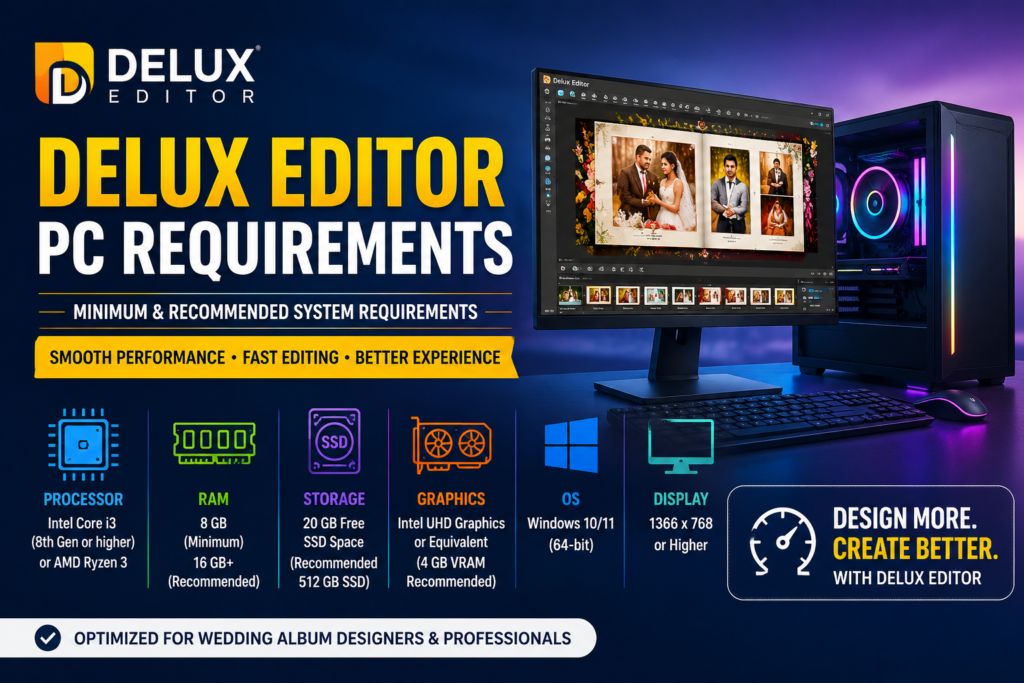

Introduction
Delux Editor is one of the most trusted wedding album design software solutions for photographers and photo studios. Whether you are a beginner or a professional, having the right PC configuration is essential for smooth performance. In this guide, you’ll learn the minimum and recommended Delux Editor PC requirements. Additionally, you’ll discover the best processor, RAM, graphics card, storage, and operating system for faster editing. As a result, you can build a computer that delivers a reliable and efficient editing experience.
Minimum PC Requirements
First, if you are just getting started, the following minimum specifications are suitable for basic album designing.
| Component | Minimum Requirement |
|---|---|
| Operating System | Windows 10 (64-bit) |
| Processor | Intel Core i3 (8th Gen) or AMD Ryzen 3 |
| RAM | 8 GB |
| Storage | 20 GB Free SSD Space |
| Graphics | Intel UHD Graphics or Equivalent |
| Display | 1366 × 768 Resolution |
| Internet | Required for activation and updates |
Although these specifications can run Delux Editor, performance may slow down when editing large projects. Therefore, upgrading your hardware is recommended if you regularly work with high-resolution images.
Recommended PC Requirements
However, professional photographers and album designers should use a more powerful computer.
| Component | Recommended Requirement |
| Operating System | Windows 11 (64-bit) |
| Processor | Intel Core i5/i7 (12th Gen or Later) or AMD Ryzen 5/7 |
| RAM | 16–32 GB |
| Storage | 512 GB SSD or Larger |
| Graphics Card | NVIDIA GTX 1650 or Higher |
| Display | Full HD (1920 × 1080) or Higher |
| Internet | High-Speed Broadband |
Moreover, these specifications provide faster loading speeds and smoother editing. Consequently, you can work on large wedding albums without unnecessary delays.
Processor Requirements
A powerful processor is essential for professional editing. For example, Intel Core i5, Intel Core i7, AMD Ryzen 5, and AMD Ryzen 7 processors offer excellent performance.
Furthermore, newer processors improve multitasking and reduce rendering times. Therefore, investing in a modern CPU is a smart long-term decision.
RAM Requirements
RAM directly affects editing speed and responsiveness.
- 8 GB RAM – Suitable for beginners.
- 16 GB RAM – Recommended for most professionals.
- 32 GB RAM – Ideal for advanced users.
In addition, more RAM allows you to edit multiple PSD files without lag. Likewise, it improves multitasking when using several applications together.
Graphics Card Requirements
A dedicated graphics card is highly recommended.
Recommended graphics cards include:
- NVIDIA GTX 1650
- NVIDIA RTX 3050
- NVIDIA RTX 4060
- AMD Radeon RX 6600
Although Delux Editor can run on integrated graphics, a dedicated GPU offers much smoother performance. As a result, rendering and image processing become significantly faster.
Storage Requirements
Storage is another important factor.
Instead of installing Delux Editor on a traditional hard drive, choose an SSD.
Benefits include:
- Faster startup
- Faster project loading
- Better PSD performance
- Improved responsiveness
- Faster Windows boot time
Additionally, SSDs reduce waiting time during large projects. Therefore, they are highly recommended for every professional designer.
Operating System Compatibility
Delux Editor supports both Windows 10 (64-bit) and Windows 11 (64-bit).
Moreover, Windows 11 provides improved performance and security. Meanwhile, keeping your operating system updated ensures better software compatibility.
Why an SSD Makes a Difference
Many users focus only on RAM and processors. However, storage speed is equally important.
In fact, installing Delux Editor on an SSD noticeably improves startup and project loading times. Consequently, you spend less time waiting and more time designing albums.
Tips to Improve Delux Editor Performance
To achieve the best results, follow these recommendations:
- Install Delux Editor on an SSD.
- Use at least 16 GB RAM.
- Keep Windows updated.
- Update graphics drivers regularly.
- Close unnecessary background applications.
- Maintain sufficient free storage space.
- Restart your PC regularly.
- Install the latest version of Delux Editor.
Furthermore, cleaning temporary files helps maintain system performance. Finally, regular maintenance ensures a smooth editing experience.
Frequently Asked Questions
Can Delux Editor run on 8 GB RAM?
Yes. However, 16 GB RAM is recommended for smoother editing and multitasking.
Does Delux Editor require a dedicated graphics card?
No. Nevertheless, using a dedicated graphics card provides better overall performance.
Is Windows 11 supported?
Yes. Additionally, Windows 11 is fully compatible with the latest version of Delux Editor.
Is an SSD necessary?
No. However, an SSD significantly improves loading speed and software responsiveness.